

BMW ICOM port care & damage prevention
Hard-won advice from the bench. Follow this and your ICOM ports will outlast the vehicles you plug them into.
›RJ45 Network Port Guidelines
Use WiFi for daily diagnostics. Reserve the physical network port for high-risk ECU flashing and programming. Running routine diagnostics over WiFi significantly extends the lifespan of the internal ethernet socket.
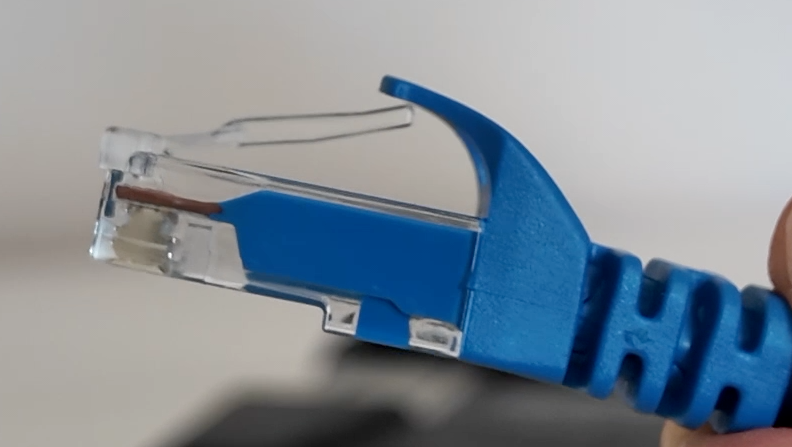
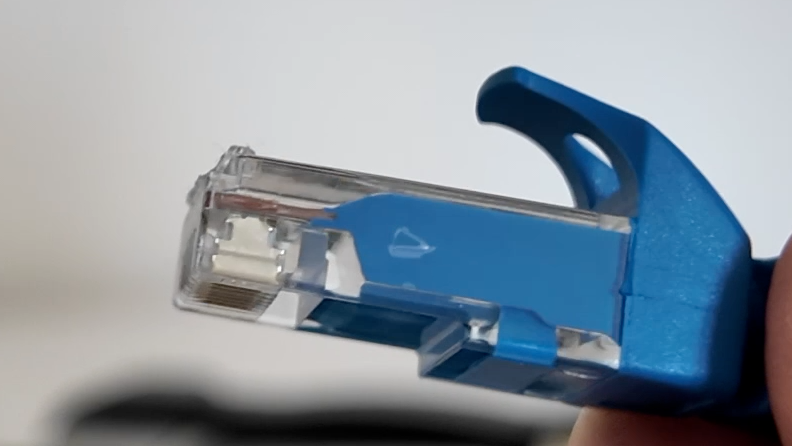
The "snip-the-tab" trick. For non-critical diagnostic work, snip the plastic locking clip off your network cables. If a technician trips over the lead, the cable pops out cleanly instead of tearing the internal surface-mount pads off the PCB.
Ditch heavy OEM cables. Original factory network cables are overly stiff and heavy, placing constant downward strain on the socket. Use lightweight, flexible 24 AWG Cat 6 cables (e.g. Cable Matters 5-Color Combo 10Gbps Snagless Cat 6).
Proper cable extraction. Always squeeze the locking tab fully before removing the cable and pull directly straight back. Wiggling or twisting the RJ45 jack sideways tears the internal socket housing.
Never carry by the cable. Lifting, swinging, or carrying the ICOM unit by its ethernet cable will instantly stress and damage the internal soldering.
›15-Pin D-Sub Connector Guidelines
Respect the 300–500 cycle limit. The internal 15-pin D-Sub connector is mechanically rated for only 300 to 500 mating cycles.
Leave connected when possible. Keep the main cable permanently attached to the 15-pin D-Sub connector to eliminate unnecessary wear on the socket pins.
Gentle alignment technique. When plugging or unplugging, apply light, even pressure while gently wiggling the connector side-to-side. This ensures the pins seat cleanly without bending or jamming.
Check for broken pins before reusing cables. If a cable pin snaps, never plug that cable back in without verifying a broken metal tip isn't lodged inside the female socket. Plugging a broken lead into an ICOM will crush the remaining pins and destroy the board. If in doubt, discard the lead — aftermarket 15-pin D-Sub to OBD2 cables are readily available online.
Hand-tighten screws snugly (do not overtighten). Always secure the retaining thumbscrews to prevent pin wobble during use. Never use pliers or overtighten them — snapped retaining studs require a complete teardown to extract.
Zero strain handling. Never carry, hang, or support the weight of the ICOM head using the OBD cable.